


Hudl Fan: Find, Watch, Follow.
2.5115.00 Reviews
App Specs
- Version
- 2.32.0
- Updated On
- License
- Free
- Downloads
- 100,000+
- Developer
- Hudl, Inc.
- Categories
- Sports
- Platform
- Android
Screenshots
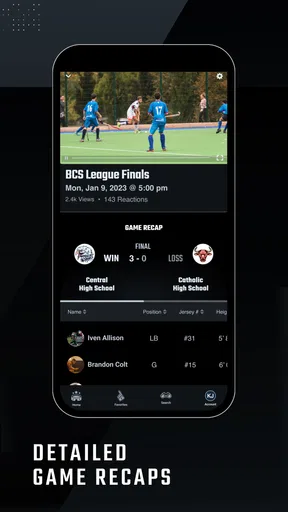
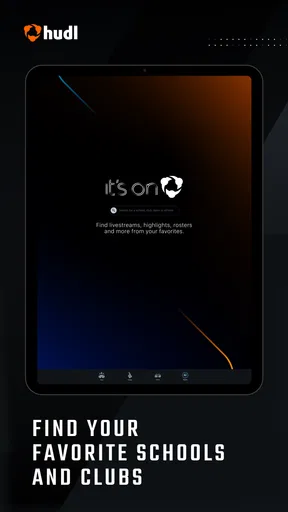
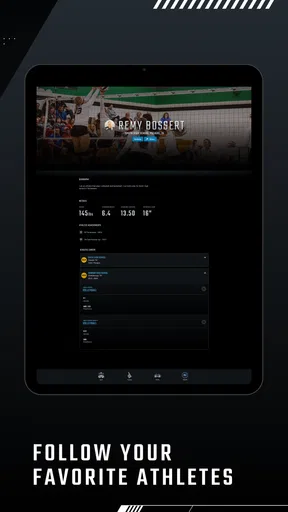
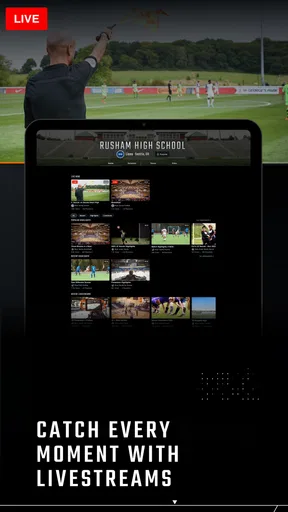
 Analysis by AppCompare
I approached Hudl Fan as a practical sports companion rather than as another general streaming app. Its purpose is straightforward: help supporters find teams, follow scores, watch available streams, and stay connected with the competitions that matter to them. That focus makes it appealing when your team already uses the Hudl ecosystem, but it also means the experience depends heavily on how much information is available for the teams and events you care about.
After spending time with it, my impression is mixed but useful. The app is free, aimed at everyone, and developed by Hudl, Inc. It feels most valuable for a fan who wants one place to check several sports-related updates instead of moving between a team page, a live-score service, and a separate video platform. At the same time, it is not a universal replacement for every sports app. Its strongest moments come when you already know which team or event you want to follow.
Finding the right team without getting lost
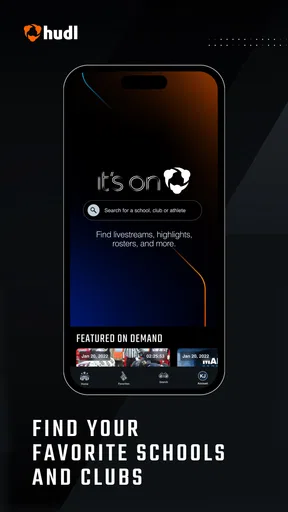
The first thing I noticed is that the app’s usefulness begins with discovery. A sports fan may arrive with a very specific goal: check whether a school team is playing, find a stream for a local match, or keep an eye on a club during a busy weekend. A clearly organized team-and-event experience matters more here than a huge amount of general sports news, because the user is usually looking for something particular rather than browsing endlessly.
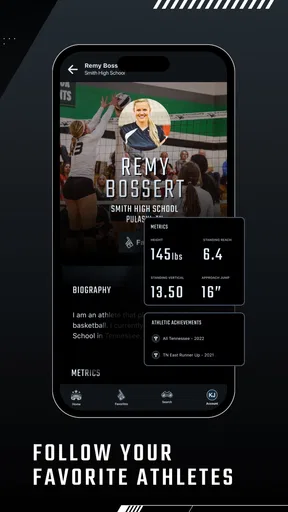
For me, the most comfortable way to use this kind of app is to decide on a small group of teams first. Following everything available can make the home experience feel noisy, while choosing the teams I actually care about turns it into a more focused dashboard. That is an important distinction from broad sports apps, which often lead with major leagues, headlines, and national competitions. Hudl Fan makes more sense when local, school, amateur, or team-specific coverage is the priority.
Readability is not only about font size. It also involves knowing what each item represents at a glance. A score, an upcoming event, and a video stream serve different purposes, so the app works best when those actions are visually easy to distinguish. I found that a fan who is already familiar with the team or competition will probably move around more confidently than someone arriving without context.
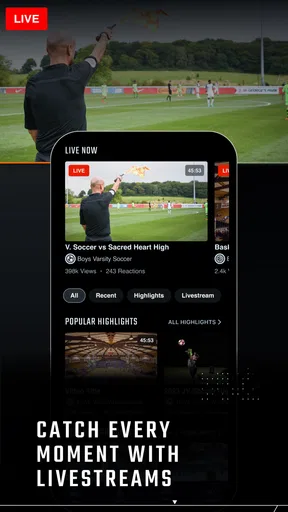
The app’s short identity, “Hudl Fan,” is simple, but the broader experience covers more than watching. Scores and streams are useful for different moments: a score is quick information when I am busy, while a stream requires time and a more stable viewing situation. Treating those options as separate tools helps me use the app efficiently instead of expecting every event to offer the same level of coverage.
Useful habits for a clearer experience
One practical habit is to check the event information before settling in to watch. A stream can be useful when I have missed the venue experience, but a live score is often the better choice when I am commuting, working, or dealing with a weak connection. I would not open the app expecting every team to have identical coverage. The sensible approach is to use the information that is available for each event rather than judging the whole service by one missing or limited stream.
Worth Reading Before You Choose

Flipboard Shows What News Apps Must Do Beyond the Feed

Switching to Android Auto Means Rethinking Your Driving Routine

Google Calendar Makes a Crowded Week Easier to Manage

Ludo King Makes the Most of the Minutes Between Plans

Baby Panda World Brings Quick Play to Modern Phones, but Its Game Library Feels Busy

ESPN’s Live Game View Makes Following Close Games Easier
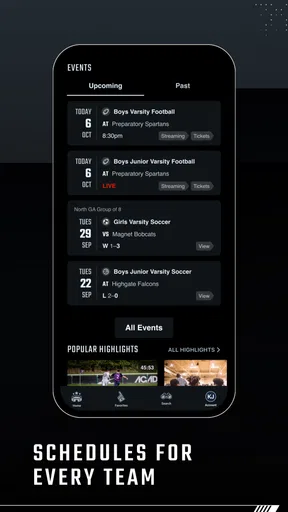
Another helpful habit is to use the app around a specific routine. For example, I might check upcoming games before the weekend, look at scores during the afternoon, and open a stream only when I know I can give it proper attention. This reduces unnecessary scrolling and makes the app feel more like a personal sports checklist than an endless feed.
That workflow is also friendlier for users who find dense interfaces tiring. A short visit with one clear goal is easier to manage than trying to explore every section. I would recommend deciding in advance whether the session is for finding a team, checking a score, or watching an event. That small change makes navigation feel less demanding.
Reading, tapping, and watching in different situations
Hudl Fan supports several kinds of attention, but not all of them place the same demands on the user. Reading a score is a brief visual task. Browsing teams requires more concentration and accurate selection. Watching a stream asks for sustained attention and may be less practical when the user is moving around or sharing a noisy environment. I appreciate that the app can serve these different situations, although the experience is not equally convenient in each one.
For users with visual fatigue, the score-focused parts may be easier to handle than video browsing because they require less continuous viewing. I would still avoid assuming that every screen will be equally comfortable. A person who needs larger text, stronger contrast, or a particular screen-reader behavior should test the app on their own device before relying on it for regular match coverage. Device-level display settings may help, but they cannot guarantee that every element will respond perfectly.
Motor considerations matter too. Sports apps often contain compact rows, team badges, event cards, and controls that ask for precise taps. When I am using the app one-handed, walking, or holding something else, small targets can become less convenient than they seem while sitting still. The safest workflow is to pause before selecting a team or stream, especially when several events appear close together.
This is one reason I prefer using a larger screen when I plan to watch for a while. A phone is convenient for checking a score, but a tablet or a phone placed on a stable surface can make longer viewing more comfortable. That is not a special feature of the app; it is a realistic trade-off between portability and control. The app is at its most flexible when I match the task to the device rather than trying to do everything in the same way.
Sound, attention, and the viewing environment
Video access also brings sensory considerations. Some fans want commentary or crowd atmosphere, while others need to keep sound low or off. I would treat the stream as something to evaluate in context: headphones may help in a public place, captions or other viewing aids may be important for some users, and a quiet room may make the experience easier for people who are sensitive to overlapping noise. I would not assume that a stream’s presentation will suit every viewer simply because the event itself is interesting.
For someone with hearing-related access needs, the practical question is whether the visual information on screen is enough to follow the action when audio is unavailable. For someone with visual-related needs, the opposite question applies: can the score or video be understood comfortably without relying only on small visual details? Because sports coverage varies by event, I recommend checking the actual presentation before planning an important viewing session around it.
The same applies to concentration. A fan who becomes overwhelmed by constant updates may prefer opening the app only at planned times. A user who needs frequent reminders may appreciate having scores and events together, but should still confirm that the information is presented clearly enough for quick checks. In my experience, the app is better for intentional visits than for leaving it open as a permanent background companion.
Where it works well away from home
The most realistic everyday use case is a family member trying to follow a school or local team while unable to attend. Imagine checking the score during a work break, then watching the available stream later from home. That combination is more useful than either feature alone: the score keeps the user informed when time is limited, while the stream provides a fuller connection when circumstances allow.
Another situation is traveling to a tournament or multi-game event. A fan may need quick access to several team updates without carrying a printed schedule or asking someone for every result. In that setting, the app can reduce the number of places I need to check. However, I would prepare before leaving by identifying the teams and events I expect to follow. Searching under pressure, with poor reception or a crowded venue, is not the moment to learn the app’s organization.
Connectivity is an important part of the trade-off. Scores usually fit short check-ins better than video, while streams naturally demand a more dependable connection and more battery than a quick glance at an event. I would not plan a full match viewing session in a place where the connection is uncertain. The app can bring coverage to me, but it cannot remove the practical limits of the network or the device.
There is also a social use case. I can imagine sharing a stream or score check with relatives who live far away, especially when the event is meaningful to the family. Yet the app is not necessarily the best choice for a group that wants broad commentary, extensive statistics, or a large discussion community. In those cases, a dedicated league service or general sports network may provide more context.
Who benefits most from this approach
I think the strongest audience is made up of fans who follow specific teams rather than sports in the abstract. Parents, relatives, students, local supporters, and people connected to competitions covered through Hudl are the most likely to see the value. The app’s combination of teams, scores, and streams can replace a scattered routine when the relevant coverage is present.
It is less convincing for someone who mainly follows top-level professional sports and already has a preferred league app. Those services often offer deeper statistics, news, standings, alerts, and editorial context. Hudl Fan feels more focused on access to team activity than on becoming a complete sports newsroom.
I would also hesitate to recommend it as the only tool for a user who needs highly predictable accessibility behavior across every screen. The app is rated for everyone, and that makes it approachable in principle, but an age label does not describe how comfortable the interface will be for every ability. Anyone depending on particular text, audio, touch, or display accommodations should try the exact teams and streams they plan to use.
Friction points that affect inclusive use
The biggest limitation is that the experience can be only as useful as the coverage connected to the teams a fan wants. A polished way to browse does not help if the preferred event is not represented in the way the user expects. This is especially important for fans of smaller or less frequently covered competitions. I would investigate the app with one or two real teams before moving my entire sports routine into it.
Another source of friction is the difference between discovering an event and following it over time. Finding a team once is not the same as building a reliable habit around that team. Users who need predictable reminders or a detailed calendar may find a specialized schedule app more suitable. Hudl Fan is more appealing when the main need is to check and watch, not to manage a complex personal sports timetable.
Video can create additional barriers. A stream may be difficult to use in a noisy environment, while a score view may be too brief for someone who needs more explanation. A user with limited data, battery, or connectivity may also prefer short score checks instead of extended viewing. These are not reasons to reject the app, but they do mean that the best experience comes from choosing the lightest tool for the situation.
I also noticed a broader usability trade-off between simplicity and depth. Keeping the focus on teams, scores, and streams makes the purpose easy to understand, but fans who want extensive analysis may find the experience thin compared with established sports platforms. I would rather see it as a focused companion than criticize it for not being a completely different kind of product.
Its current version is 2.32.0, and the app requires iOS or Android at version 12 or later. That requirement is reasonable for many current devices, but it matters if you are using an older phone or maintaining a family member’s device. Before recommending it to someone else, I would check the operating system first, particularly when the goal is to make sports access easier for a less technical user.
How it compares with familiar alternatives
Compared with a general sports-score app, Hudl Fan feels more connected to individual teams and streams. A general score service may be better for scanning many leagues, comparing standings, or following major professional competitions. Hudl Fan is the more natural choice when the question is, “What is my team doing, and can I watch it?” rather than, “What happened across the entire sports world?”
Compared with a video platform, it offers a more sports-specific path to events and scores. A video platform may have a larger library and stronger discovery tools, but finding the correct game there can be inconsistent. Hudl Fan’s focused approach is useful when I already know the team or event. The trade-off is that I should not expect the same broad entertainment catalog or general-purpose video experience.
Compared with a league’s official app, the choice depends on coverage. An official service may provide richer league information and more detailed competition tools. Hudl Fan can be preferable for supporters whose teams are represented within its team-centered environment, particularly when the practical goal is quick access rather than deep editorial coverage.
That comparison leads to a simple recommendation: use Hudl Fan alongside another service if necessary. There is no reason a fan cannot use it for team streams and scores while keeping a broader sports app for news and statistics. Trying to force one application to cover every sports need usually creates more frustration than using each tool for its strongest job.
My inclusive verdict for everyday fans
Hudl Fan is a focused sports app with a clear practical idea: bring team discovery, scores, and available streams closer together. I like it most when I have a specific team in mind and want a quicker route to updates than searching through unrelated sports content. The free price also makes it easy to try without turning the decision into a financial commitment.
Its accessibility story is best understood through flexibility rather than promises. A score check can suit a busy moment, a stream can suit a quiet viewing session, and device display or audio settings may help different users adapt the experience. Still, comfort depends on the individual, the device, the event presentation, and the surrounding environment. I would test those details with a real team before depending on the app for an important match.
The public response is not uniformly enthusiastic: it carries an average rating of 2.4 from around 250 ratings, with roughly 114 written reviews. I see that as a reason to approach it realistically, not as an automatic rejection. The app has a defined use case, but it may not satisfy people expecting a complete sports information hub.
With more than 100 thousand installs, it has reached a meaningful group of fans, while its Everyone content rating keeps the intended audience broad. My final view is that it is worth trying for local, school, amateur, or team-centered sports followers who value quick access to scores and streams. I would skip it as a primary sports app if I mainly want extensive analysis, universal league coverage, or guaranteed accessibility behavior across every kind of event. The best reason to install it is not to follow every sport, but to make one particular team easier to follow.
Pros
- Easy access to scores
- schedules
- and updates for favorite teams.
- Useful team-following tools help personalize the sports content shown.
- Video highlights make it easy to catch up on key game moments.
- Clean interface makes browsing multiple sports relatively straightforward.
- Helpful for fans who want news and results in one central app.
Cons
- Coverage and features can vary significantly by sport or team.
- Some videos may be unavailable because of regional rights restrictions.
- Frequent notifications may feel excessive unless carefully customized.
- The app may use considerable data when streaming video over mobile networks.
- Certain content or team information may require an active internet connection.
FAQs for Hudl Fan: Find, Watch, Follow.
What is Hudl Fan: Find, Watch, Follow?
Hudl Fan is a sports-focused mobile app designed to help fans discover teams, follow competitions, and watch available sports content in one place. After exploring the app, its main purpose appears to be connecting supporters with games, highlights, schedules, results, and team updates. The exact content you see can depend on your location, the sports supported in your region, and whether participating teams or organizations publish videos through Hudl.
What kind of sports content can I watch on Hudl Fan?
The content available in Hudl Fan can include live or recorded games, match replays, highlights, schedules, scores, team pages, and other updates shared by sports organizations. However, the app does not guarantee that every event will be available to watch. Coverage depends on the teams, leagues, schools, or clubs using Hudl services, as well as local broadcasting rights and the way each organization chooses to publish its footage.
Is Hudl Fan free to download and use?
Hudl Fan can generally be downloaded without an upfront charge, allowing users to browse supported teams, competitions, and available content. Nevertheless, some videos or events may require a separate purchase, subscription, login, or access provided by an organization. Before downloading, it is worth checking the current app-store listing and the terms shown inside the app, since pricing and premium availability may vary by region and event.
Do I need an account to use Hudl Fan?
Some basic browsing features may be available without creating an account, but signing in can provide a more personalized experience. An account may allow you to follow teams, save preferences, receive notifications, and access content connected to your sports organization. If you are only checking scores or discovering available videos, registration may not always be necessary, but certain streams or private team content can require authentication.
Does Hudl Fan work on both Android and iPhone?
Hudl Fan is intended for mobile users and may be available on both Android and iOS, provided your device meets the app’s current operating-system requirements. Performance can vary depending on your phone, internet connection, and the quality of the video being streamed. For the best experience, use a stable Wi-Fi or strong mobile-data connection, keep the app updated, and confirm compatibility on the official Google Play or App Store listing before installing.


